

Primerica Goes Mobile
Primerica is always looking for ways to make their representatives’ business lives easier, and that kind of innovative thinking usually leads to better technology. Since creating the award-winning TurboApps technology for representatives to send client apps into the Home Office for processing, Primerica’s IT team has continued to look for ways to make it easier and faster for representatives to grow their businesses.
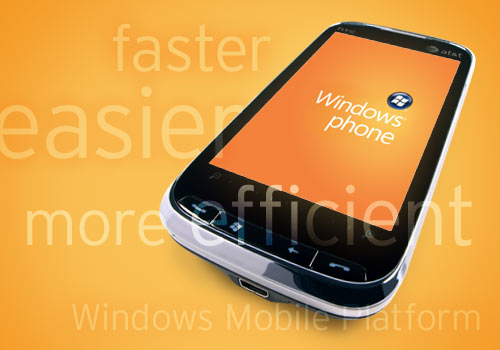
Since the summer of 2009, Primerica representatives have been making the switch from their old platform in favor of the new Windows Mobile platform. With this new platform, representatives will be able to:
• Adapt quickly to Microsoft Windows and learn how to use it faster since it’s similar to what they’ve been using already.
• Process larger, more complex TurboApps applications.
• Call, email or text a client with a tap of the screen.*
• Run multiple software applications simultaneously.
• Use Office Mobile, a suite of mobile versions of Microsoft Word, Excel and PowerPoint Mobile, all of which are compatible with desktop versions of the Office Suite.
• Truly be mobile, because future wireless enhancements will include “over-the-air” upload of product applications, software updates and Primerica WebMail.
“This new technology is really going to enable our representatives to take their business to the next level,” says EVP of Technology, Tom Swift. “This new platform will help them help clients more quickly and efficiently, which will in turn help representatives grow their businesses even faster.”
*No emails or texts regarding securities transactions are permitted.
Keep up the great job. Two quick questions. How about the new Motorola Droid at Verizon? And could we not use a laptop with Wifi or Broadband as long as it has Windows?
Currently, TurboApps is only supported on the Windows Mobile operating
system. Primerica’s strategy is to expand TurboApps to other product
lines before considering other platforms and operating systems (i.e.,
other smartphones and devices). We are in the process of evaluating the
use of TurboApps on laptop and desktop PCs.
In the meantime, you can turn your Windows smartphone into a full size
screen and keyboard by connecting it to your laptop or desktop PC using
your USB cable and free MyMobileR emulation software
(www.mymobiler.com).
Features include ability to:
* View your mobile screen on your PC.
* Control your mobile by using your PC keyboard and mouse.
* Copy/cut/paste text between your mobile and your PC.
* Capture your mobile screen.
* Drag and drop files to your mobile.
This is the best thing Primerica has done to help reps process business. Keep up the great work 🙂
The Droid does not use Windows Mobile operating system, it uses an operating system developed by Google. If you have a Windows Mobile device, download a program called MyMobiler and you can fill out the TurboApp using your laptop and have the client sign your Windows Mobile device.
it needs to be windows 6.1 mobile version, laptops do not have touch capability unless you buy one that way, software is not supporting the laptop version though.
it works fantastic on windows 6.1 mobile phones, I just started using it last week! it is fantasitc
I have the MyMobiler on my laptop. It is great and easy to use with my Samsung Omnia that has the window operating system. A special THANKS to the awesome technical support staff at Primerica.
How do I purchase a phone through Primerica’s link?
I have a couple of questions: Will the windows 6.5 work for primerica business? and clarify the prior question above about the Droid, you are saying we can not use the Droid even if we utilize mymobiler and laptop, correct?
The device you are using has to be Windows Mobile 6.1 or 6.5. The Droid phone is based on a unique operating system developed by Google. It will not be compatible, neither will the IPhone or ANY smartphone (Cliq, Hero, Eris etc)that does not have Microsoft Windows software. MyMobiler is a tool to control your Windows phone on your laptop. My suggestion: get an HTC Touch Pro 2. . .has a big full keyboard and gigantic screen. All the major carriers have this phone.
This release is a great advancement! However, limiting this to Windows Mobile phones is a grave mistake. Terrible limitation as Windows based phones are horrible. Omnia II has a lousy response to touch keyboard, service is bad. The HTC Touch Pro II isn’t much better for speed. Locks up a lot, takes a lot of time to respond and at this point, is almost impossible to get ahold of from an actual carrier…
How many Windows Mobile devices does Primerica have in use? Do you still process paper apps. What wireless applications do you have planned next?
What about the iPhone and upcoming ipad or tablet devices. You guys got some r&d going on these more capable platfoms? Win mobile is not the bees knees or it’s ankles for that matter.
When will you come out with the video conferencing software that integrates with the mobile phone?
What types of phones support the primerica operating system. Any smart phone other that I phone or Droid ?
I saw a San Diego trip poster at the office today with a huge iPhone picture showing the weather I. San Diego. Is this just marketing? Or is that a tease of something you are cooking at the home office with that platform? iPhone? iPad? Pipe dream?
I REALLY recommend creating an Application for the iPhone. It is the highest rated Smartphone today. If the technical department ends up developing it for the iPhone, I bet over 1/3 of users would switch to it.
PLEASE put TurboApps on the iPhone!! Nobody but people in Primerica would be able to use it anyways.. Why are you so hesitant to put on the iPhone anyways? Most people I know who are in Primerica would switch to the iPhone no questions asked if they came out for the application on the iPhone…
Hi, I was wondering if there was a list of current compatible phones for the turbo apps, and if it was compatible with webOs (like for the palm pre). Thanks.
Yes. There is a list of compatible phones. Log in to Primerica Online to learn more about compatible phones for TurboApps. http://www.primericaonline.com
I was wondering why has this not been ported to the Iphone yet? The OS and the development software available on the Iphone is fasted and easier to use for the novice user. Plus with the amount of support you can receive from Apple I think that porting it would be Invaluable to the company and I know the Microsoft does not give you guys support, Right now I have to swap between my Iphone and my HTC Pure and that’s a huge hassle.
I’m going to join PRI on Friday evening and wanted to know if the new HTC Touch Pro2 will be available via our relationship with Verizon? If so, when?
Thanks.
Sign-up with Primerica Online to find great wireless carrier discounts for Primerica representatives. http://www.primericaonline.com/
Will the new HTC HD2 work with the Turbo Apps?
While the HTC HD2 device has not yet been officially certified to work with TurboApps, there are some Primerica Representatives that are using it with no reported problems.
will turboapps work on the new windows phone 7 platform? i heard that windows phone 7 is just a continuation of windows mobile 6.5.
Just to correct something that I read about here, the Android software was not created by Google, Google just supports the Operating System (Android Software) was created by the same developer that created Apples OX and Lynx software, Linus Torvalds. I know that has nothing to do with making the turbo app work with Android based software, but I just don’t want the people in Primerica or who might want to join Primerica to think something otherwise than what really is a fact about the software Android based devices.
I link that he developers from Primerica should developed a virtual app to be able to use turbo apps on all smartphones, because it doesn’t make sense to be limited to just a few devices that don’t work as good as devices like the HTC Evo and such other devices.
My wife and I just joined Primerica and don’t want to downgrade from our Evo smartphones to any Windows mobile phone.
Just hoping that these ideas could help.
I meant Apples OSX and Lynix software. My apologies, I wrote the previous posting with my wireless keyboard, I think that the batteries must have been low.
Any updates on the iPhone/iPad Application process?
Hello. i am thinking about purchasing the new mytouch 3g that comes out tomorrow on the t-mobile network. is this device compatible with turbo apps?
Doesn’t the mytouch have android software? If it does, then the update for anything other than Windows mobile will work with turbo apps.
I too want to get the same program to work on my Sprint HTC Evo.
Will Turbo apps be compatible with the the new HTC HD 7?
will turboapps work on the new windows phone 7 platform? can anyone let me know please?
Does Turboapps work on the new windows 7 phone? Please let me know.
Thanks.
Will there be turboapps for the iPhone 3GS anytime soon.
Can I use my Sprint HTC arrival phone for Primerica turbo apps?
can I use my HTC Sprint arrival android phone to do turbo apps?
ok, its almost the end of 2013. And Im wondering whats new with the Primerica App with the newer Windows 8.1 tablet/phone operating system?
I currently have android devices (in which Im not happy with) they are almost always lagging and crashing. While Apple devices are nice, I am really concidering the newer windows tablets and phones. Turbo apps seems to work great in a Windows tablet with Internet Explorer,.. but will Primerica have the App available soon for windows phone 8.1?